User demon1307 uploaded the image
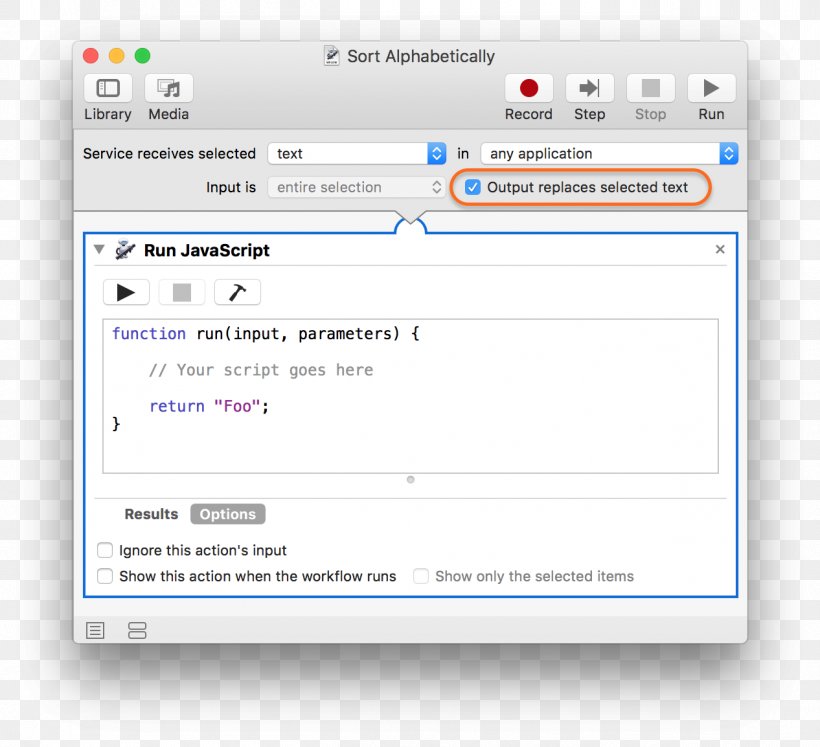
A screenshot of the "Sort Alphabetically" dialog box in a software application. The dialog box is titled "Run JavaScript" and it is used to sort the output of a JavaScript code. At the top of the dialog box, there are several options such as "Library", "Media", "Record", "Step", "Stop", "Run", and "Help". Below these options, there is a text field where the user can select the output replaces selected text. In the center of the image, the text field is blank, indicating that the user is in the process of selecting the output for the code. Below that, the output field has a drop-down menu with options to "Results", "Options", "Ignore this action's input", "Show this action when the workflow runs", and a "Show only the selected items" button.
Computer Program Automator Computer File MacOS Formatted Text PNG
. The resolution of this PNG file is 1266 x 1154 pixels and it has a file size of 168.03 KB.A screenshot of the "Sort Alphabetically" dialog box in a software application. The dialog box is titled "Run JavaScript" and it is used to sort the output of a JavaScript code. At the top of the dialog box, there are several options such as "Library", "Media", "Record", "Step", "Stop", "Run", and "Help". Below these options, there is a text field where the user can select the output replaces selected text. In the center of the image, the text field is blank, indicating that the user is in the process of selecting the output for the code. Below that, the output field has a drop-down menu with options to "Results", "Options", "Ignore this action's input", "Show this action when the workflow runs", and a "Show only the selected items" button.
Computer Program Automator Computer File MacOS Formatted Text PNG
Related PNG Images