User MisterB1965 uploaded the image
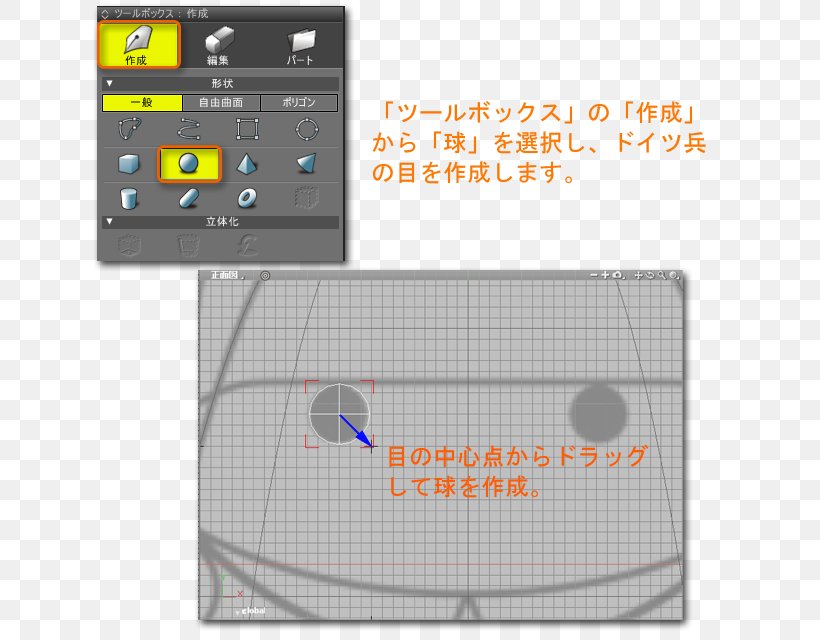
A screenshot of a 3D modeling software interface. On the left side of the image, there is a panel with various icons and options for creating a design. The panel has a transparent background with a grid-like pattern. In the center of the panel, there are two circles, one in orange and one in blue. The orange circle is slightly larger than the blue circle. Below the orange circle, it has a text in Japanese that translates to "How to create a circle in Adobe Illustrator". On the bottom right corner of the screen, there appears to be a dialog box with instructions on how to use the software.
Shade 3D 3D Printing 3D Computer Graphics Pattern Tutorial PNG
. The resolution of this PNG file is 640 x 640 pixels and it has a file size of 112.96 KB.A screenshot of a 3D modeling software interface. On the left side of the image, there is a panel with various icons and options for creating a design. The panel has a transparent background with a grid-like pattern. In the center of the panel, there are two circles, one in orange and one in blue. The orange circle is slightly larger than the blue circle. Below the orange circle, it has a text in Japanese that translates to "How to create a circle in Adobe Illustrator". On the bottom right corner of the screen, there appears to be a dialog box with instructions on how to use the software.
Shade 3D 3D Printing 3D Computer Graphics Pattern Tutorial PNG
Related PNG Images